

Password managers protect sensitive data by creating a strong, unique password for every service used, and removing the need to enter those passwords manually. However, people find the existing password managers hard to use and unintuitive. This has left hundreds of thousands of internet users with vulnerable passwords.

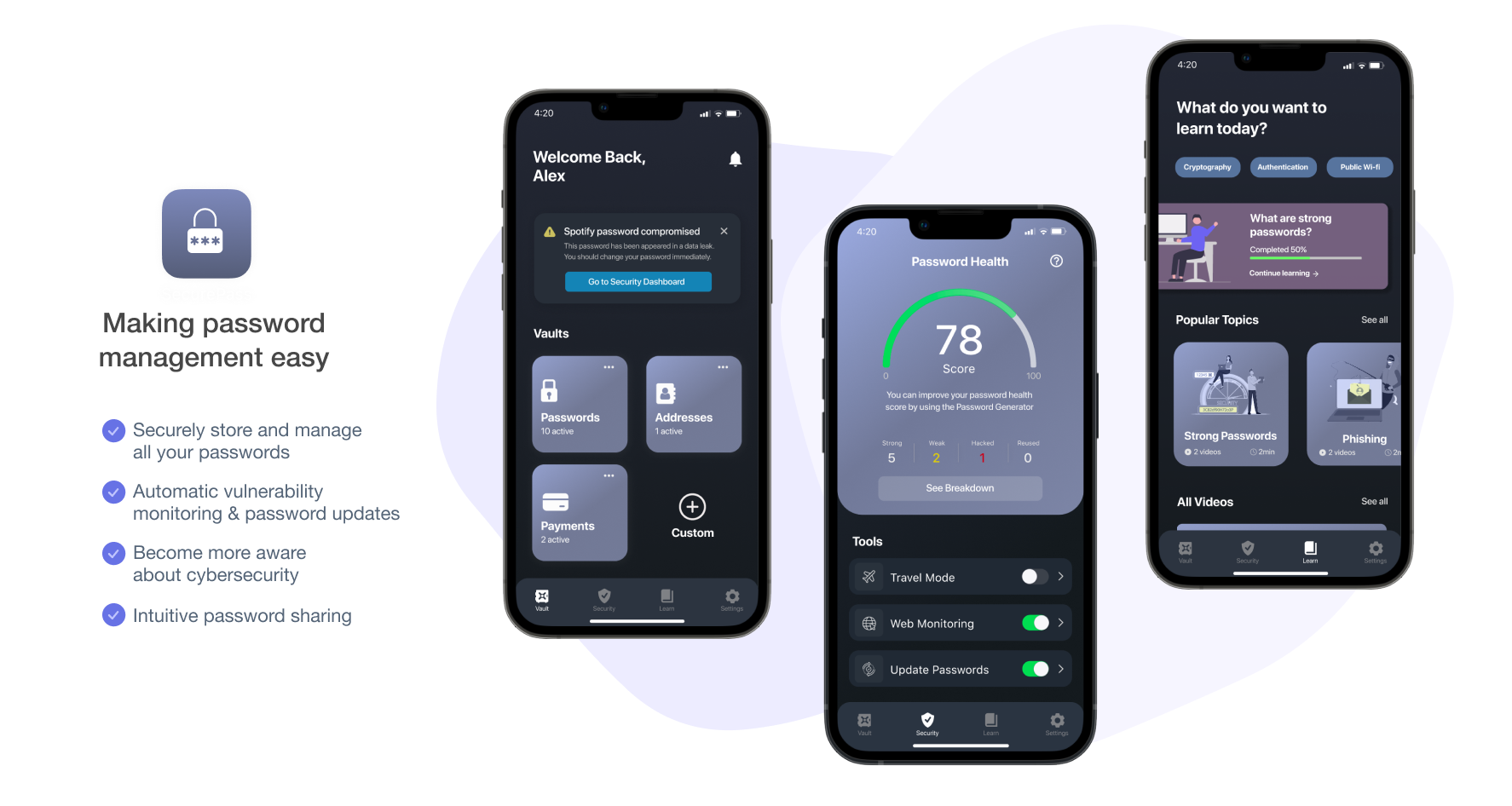
A cross-device platform application that tackles the pain points of existing password managers by designing an intuitive user interface, providing easy-to-understand password health metrics, and automating the cumbersome security best practices.
A Google study in 2019 found that 1.5 percent of all website logins use compromised credentials. The study pointed out that many users were using the same passwords for multiple websites. This makes data hijacking and identity theft even easier for malevolent actors. This is a threat that can largely be mitigated by using a password manager which can manage unique passwords for each site you visit.

Remove the friction that keeps users from using password managers
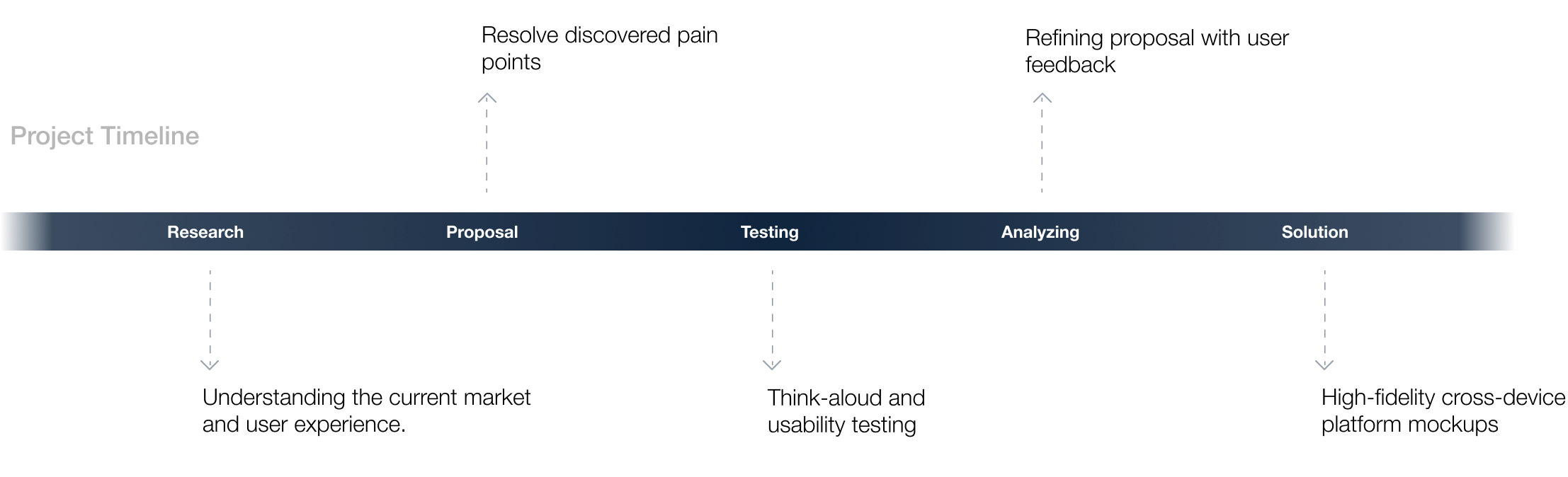
Starting off, I had three main research goals: learning about how password managers work, evaluating existing products, and discovering how users experience them. To answer these, I conducted literature reviews, competitive analysis, and user interviews with ten participants ranging from their early 20s to late 50s.

Password managers are platforms that assist in generating and retrieving passwords, storing the data in encrypted databases, and managing the passwords for local application and online services.
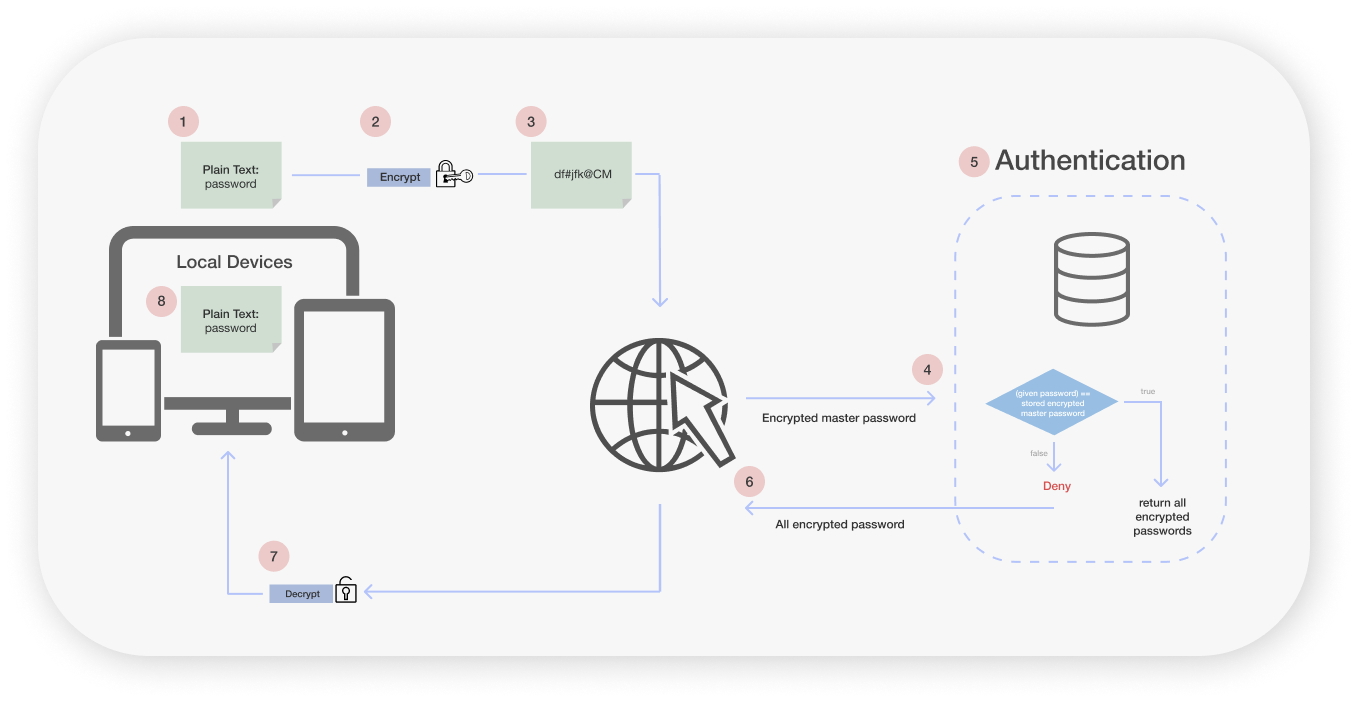
Password managers are platforms that assist in generating and retrieving passwords, storing the data in encrypted databases, and managing the passwords for local application and online services.
Password managers are platforms that assist in generating and retrieving passwords, storing the data in encrypted databases, and managing the passwords for local application and online services.
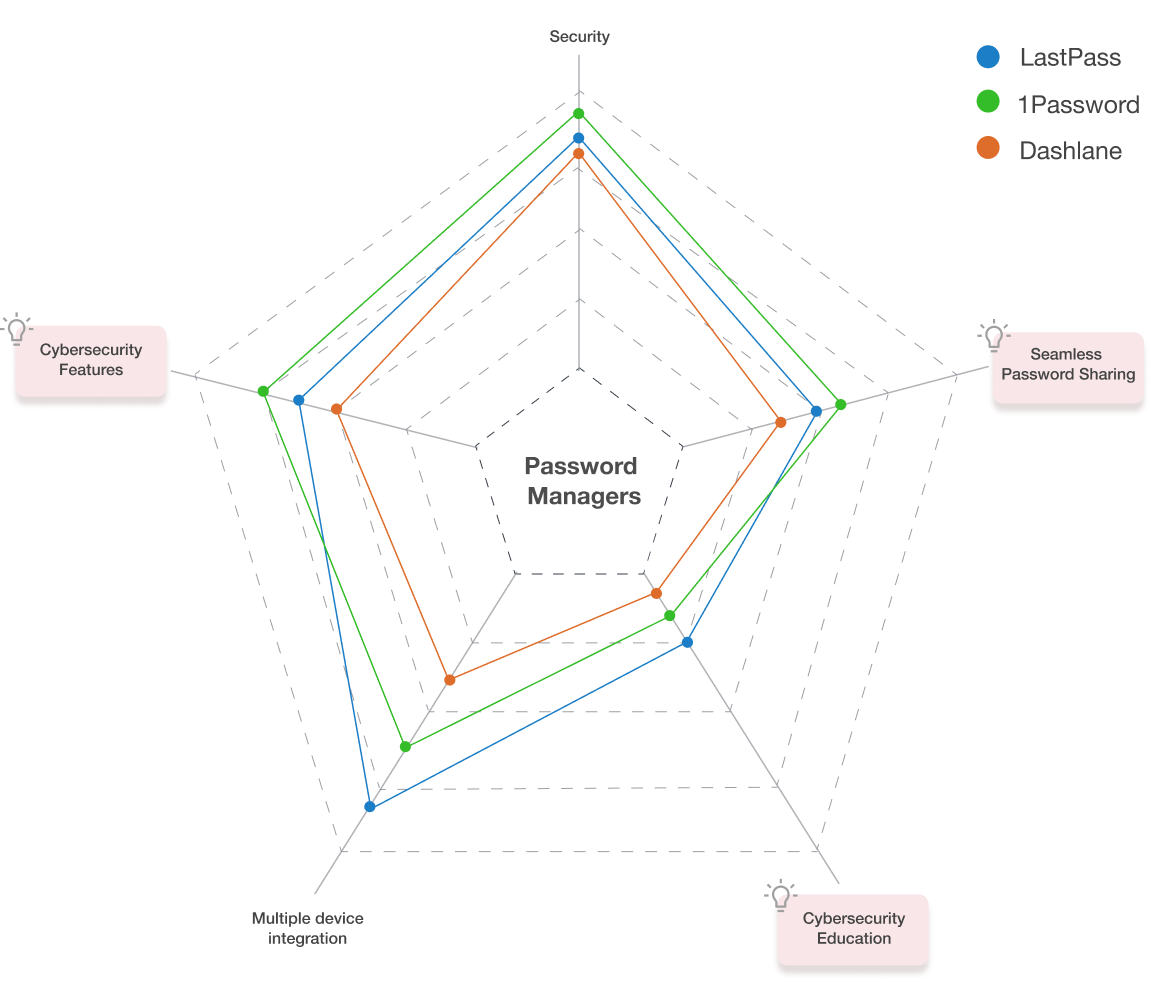
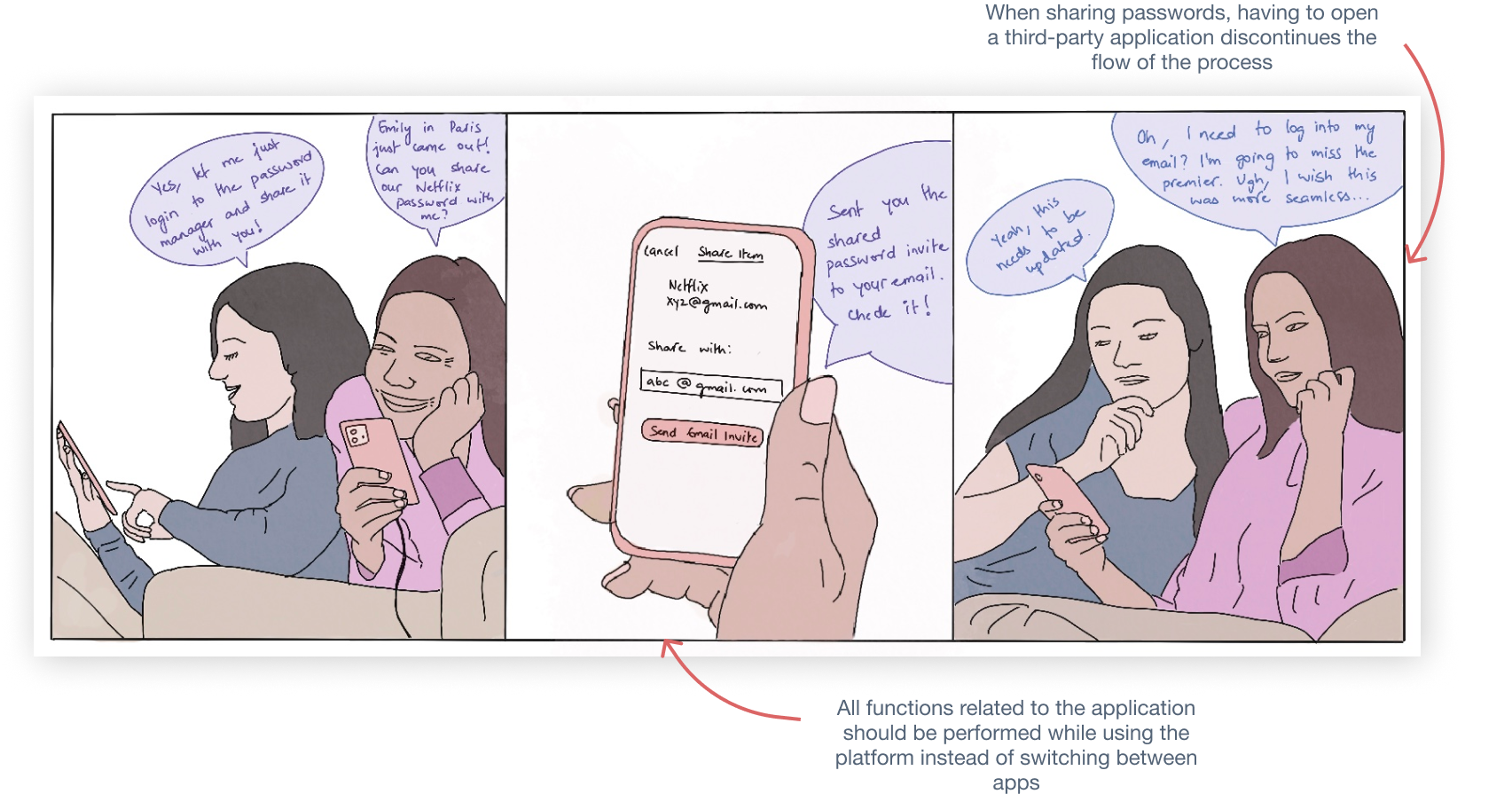
After conducting interviews, I found that a repeating theme was users are frustrated when having to switch between applications to complete actions, get demotivated by unclear functions, and are generally unaware about the need for a strong password health. This was particularly an issue with users from younger age groups who share passwords amongst friends.
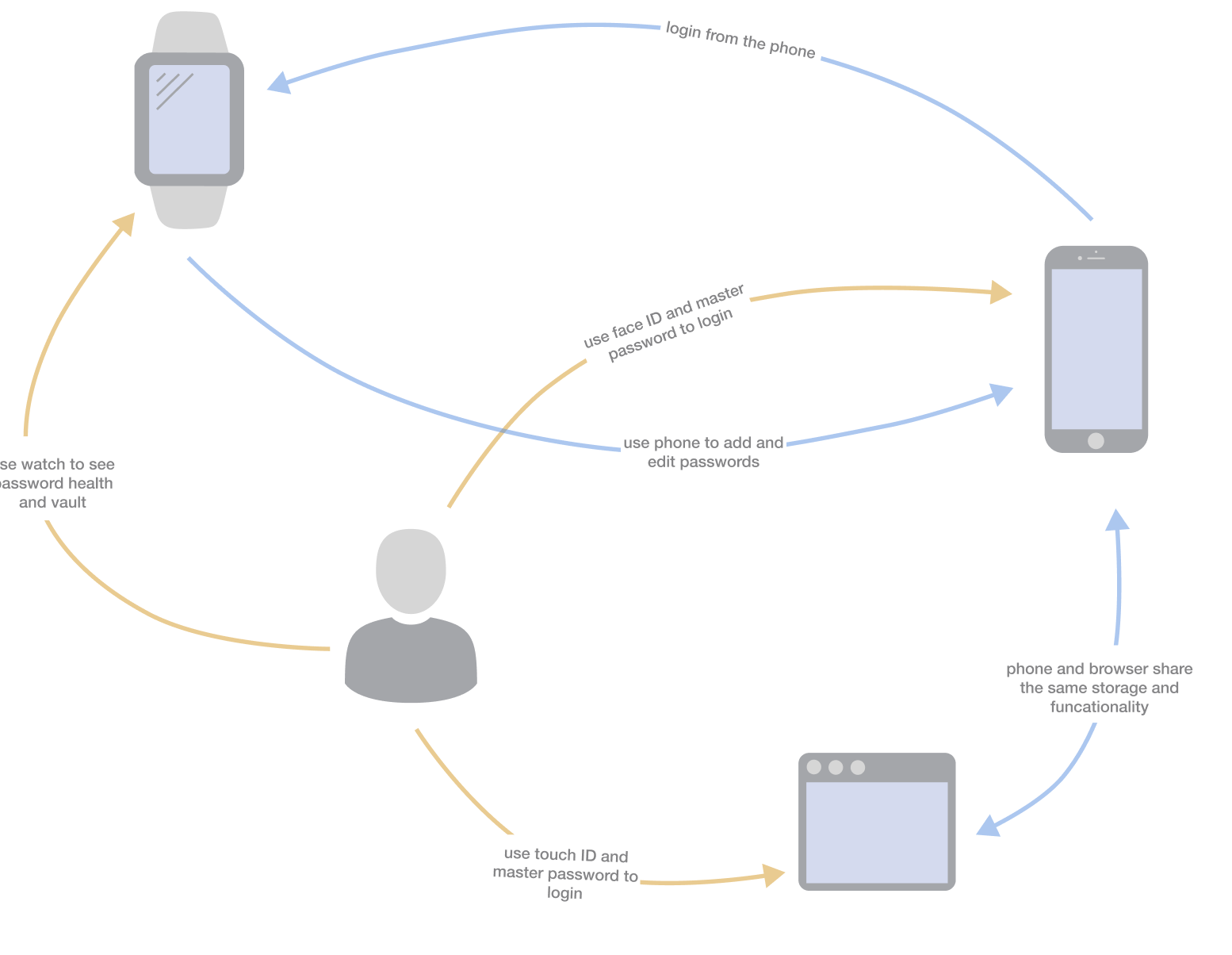
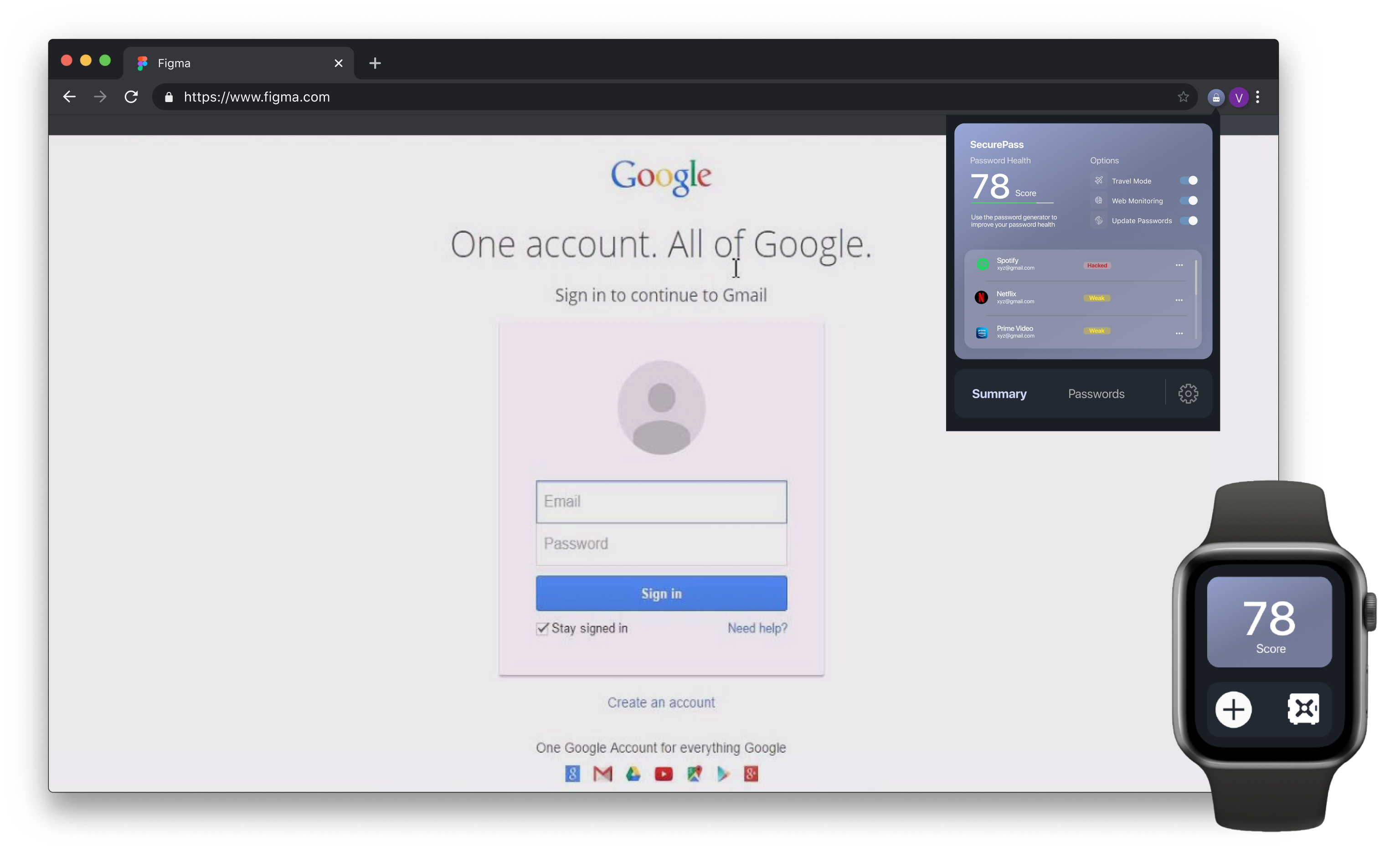
After understanding the current market and user needs, I decided to create a cross-device password manager that can be installed as an app on phones and smart watches, and as a browser extension on desktops. The mobile app and the browser extension allow users to complete all the required functions, while the smart watch app is a supplementary method for quick access.
To test features of the proposal, I created low-fidelity mobile wireframes. To limit the scope of the project and receive quick feedback, I decided to focus on the mobile app specifically. I recruited 5 participants with varying levels of domain knowledge who performed the think-aloud usability method to evaluate the design.
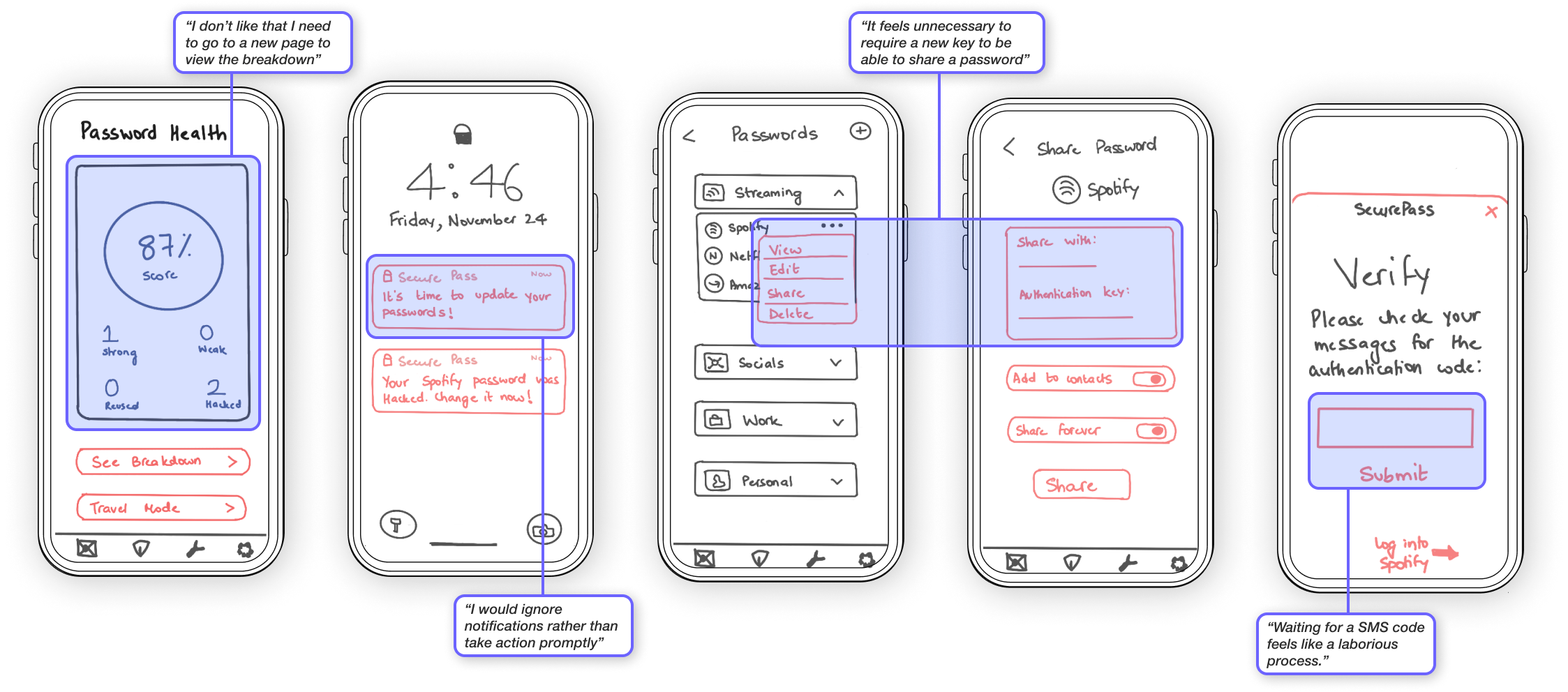
From the usability testing, I found that the previous user flow was cumbersome. I changed the flow to be more of a closed-loop situation where all actions can be performed within the app.
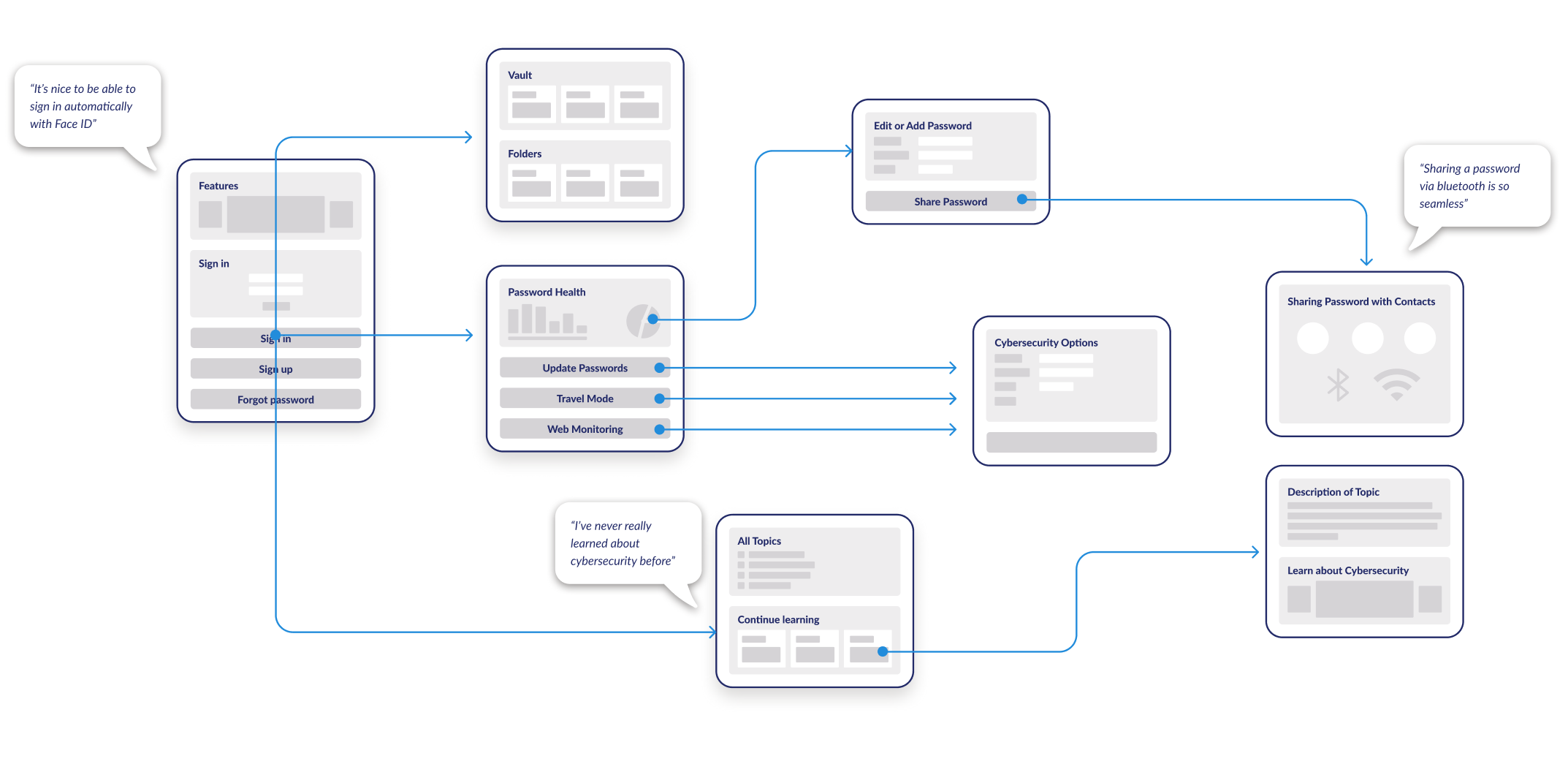
I learned that users are more likely to complete actions that have a sense of urgency, want to be more aware about cybersecurity when presented in a digestible format, and appreciate a continuous flow between actions.

I started with diagramming the concept, moved onto low to mid-fi wireframes, and then incorporated feedback and visual design into the final prototype.
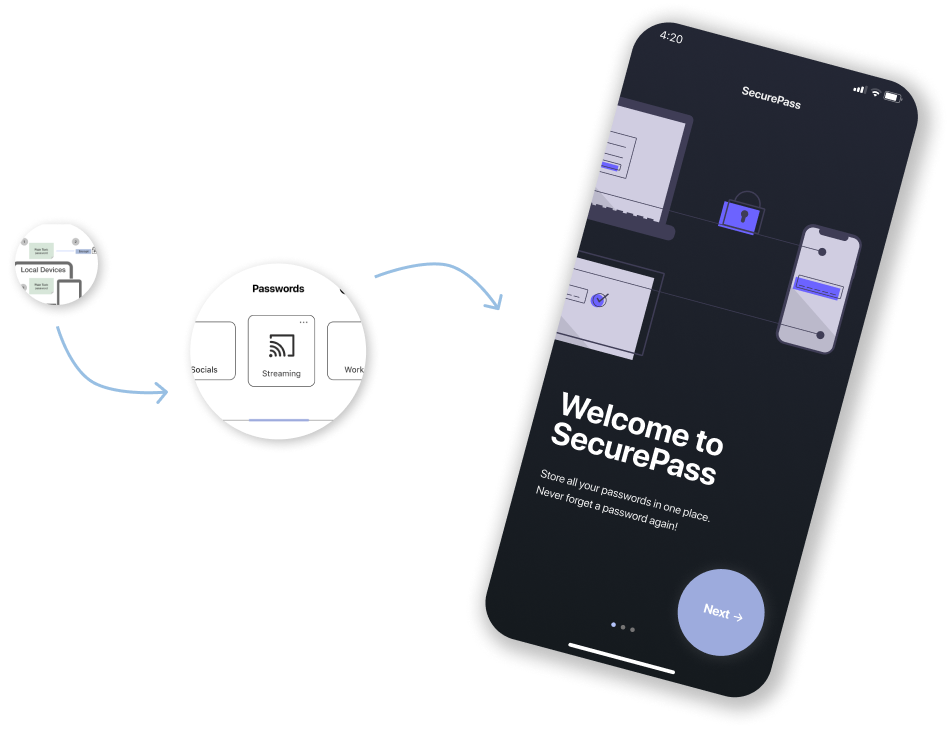
After understanding the current market and user needs, I decided to create a cross-device password manager that can be installed as an app on phones and smart watches, and as a browser extension on desktops. The mobile app and the browser extension allow users to complete all the required functions, while the smart watch app is a supplementary method for quick access.
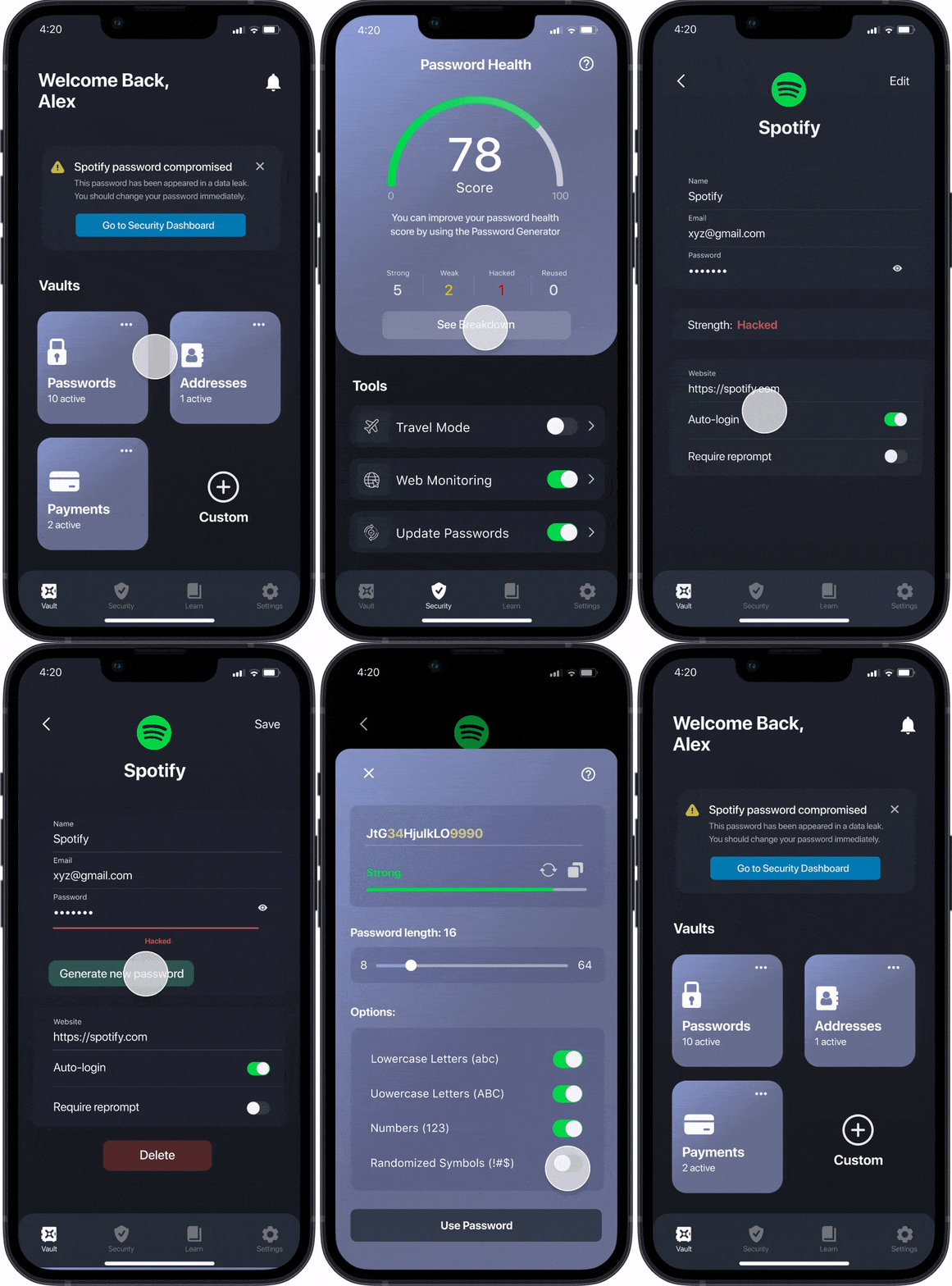
The security dashboard allows the users to view their password health, a breakdown of their passwords’ statuses, and also provides additional cybersecurity features such as travel mode, web monitoring, and automating updating passwords.
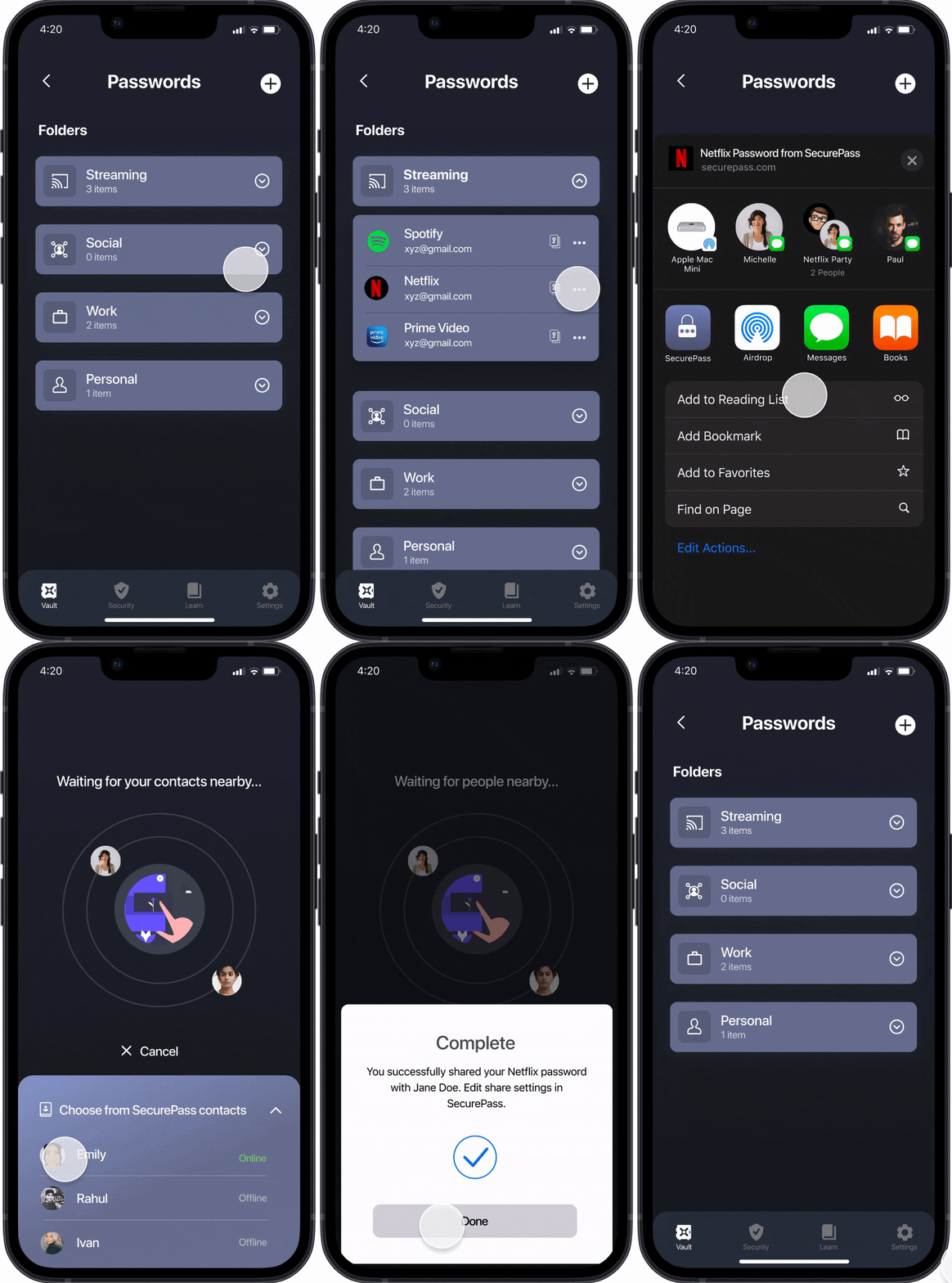
Incorporating password sharing into Apple’s existing infrastructure (Airdrop, Wifi password sharing) makes the process more seamless.
I started with diagramming the concept, moved onto low to mid-fi wireframes, and then incorporated feedback and visual design into the final prototype.
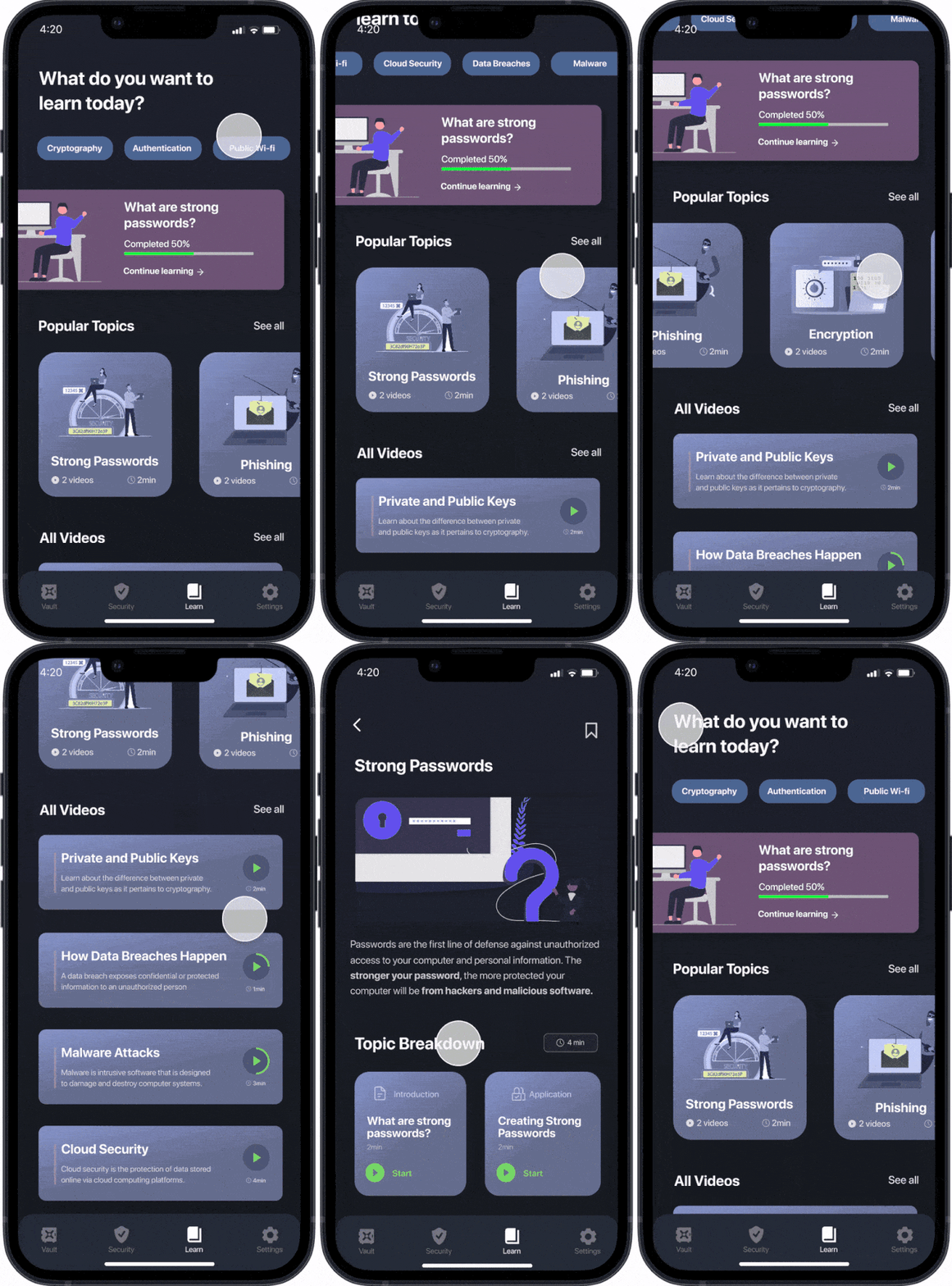
The SecurePass mobile app contains all the functionality to store, retrieve, and update passwords. It also contains features to check password health and learn about cybersecurity.
The SecurePass browser extension is compatible with the Google Chrome browser. In addition to updating and managing passwords, it auto-fills passwords on websites and monitors dark web data leaks.
The SecurePass smart watch app is a supplementary application that can be used to quickly check and update passwords. The limited watch real estate only allows for basic password manager functionality.
Existing password managers securely store more than passwords (payments, notes, etc.), integrate cybersecurity functions, and autofill passwords on local and online applications.
Through this project, I dived into the complex world of cybersecurity. I learned that it is important to abstract highly technical concepts such as cybersecurity to make it more accessible for everyday users. At the same time, I learned that it is important to discover interesting ways to spread awareness about it.

